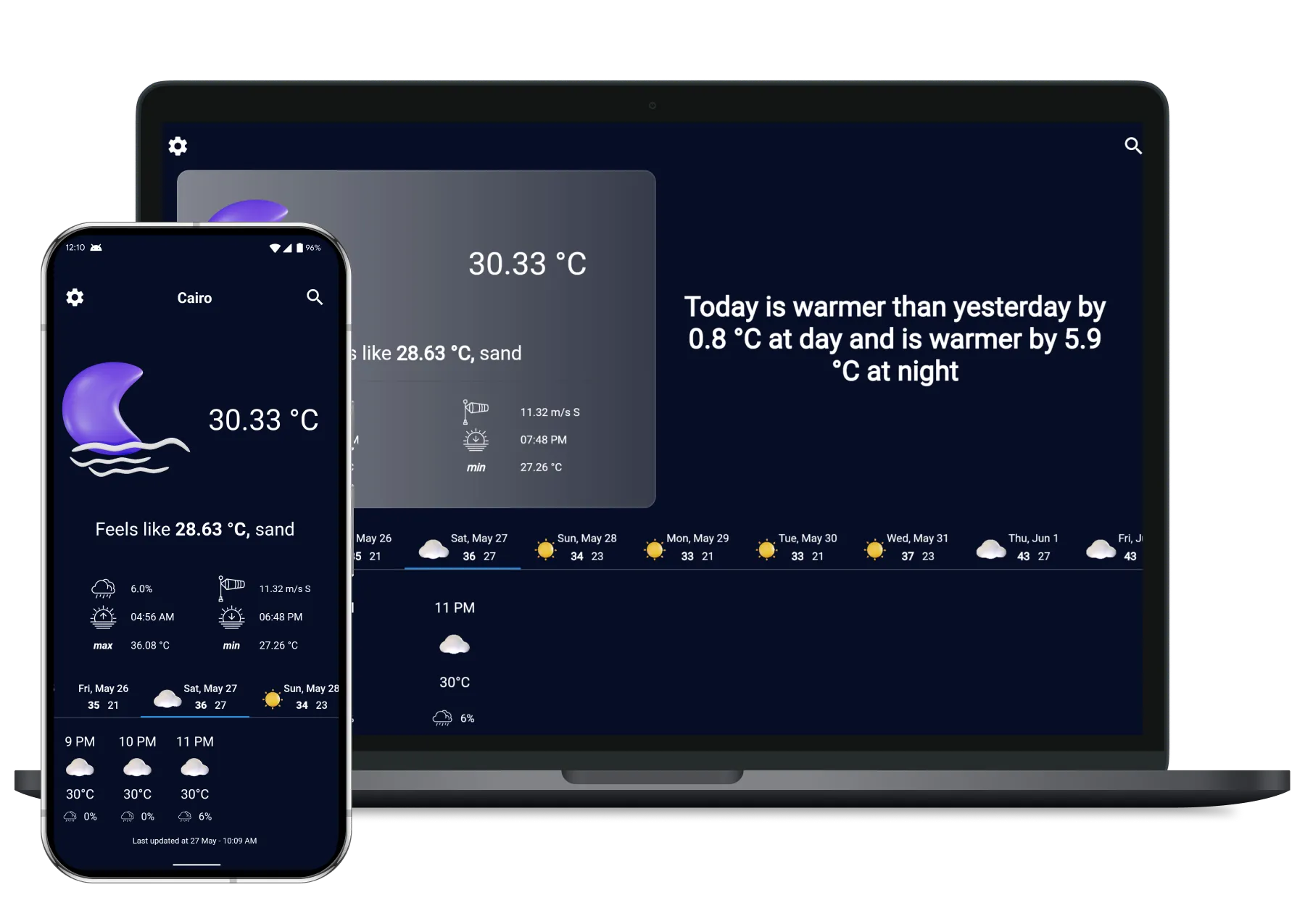

Compare Weather app is an app that shows past weather and future weather with a comparing feature to be able to better understand the meaning of the temperature, it also provides users with real-time weather information for any location in the world, available for Android and Web For free
Table of Contents
🌟 Features
- Comparing today’s weather to yesterday
- Location-based Weather Information
- Hourly and Daily Forecast
- Available in English and Arabic
🚀 Try the app
-
Download Android app 📱: Link to Google Play
-
Use web app 🌐: Web app link
🛠️ Under the hood
Project Structure
The project is organized into the following main directories:
| Directory | Purpose |
|---|---|
lib/core/ | Contains application-wide functionality like dependency injection, networking, routing, and analytics |
lib/features/ | Contains feature-specific modules (tasks, auth, schedule, etc.) |
lib/common/ | Contains shared entities, models, and enums used across features |
🏗️ Architecture Overview
Since this is a project that I intent to support for a long term, so the architecture implemented is Clean Architecture , to maintain separation of concerns, testability, and scalability. The architecture is divided into three primary layers:
| Layer | Responsibility | Key Components |
|---|---|---|
| Presentation | Handles UI rendering and user interactions | UI widgets, BLoC components |
| Domain | Contains business logic and use cases | Use Cases, Repository interfaces, Entities |
| Data | Manages data retrieval and persistence | Repository implementations, Data sources, Models |
💻 Tech Stack
Frontend (Mobile and Web)
- Framework/Library: Flutter
- State Management: Bloc
- Testing: Flutter Test
- Local storage : shared preferences
- Localization : easy localization
APIs
- APIs: Open weather
Tools
- Analytics: Firebase analytics
🐞 Reporting Issues
If you find any bugs or have suggestions, please open an issue on our GitHub Issues page.
When reporting an issue, please include:
- A clear and concise description of the bug.
- Steps to reproduce the behavior.
- Expected behavior.
- Screenshots or videos (if applicable).
- Your environment (OS, browser, app version, etc.).